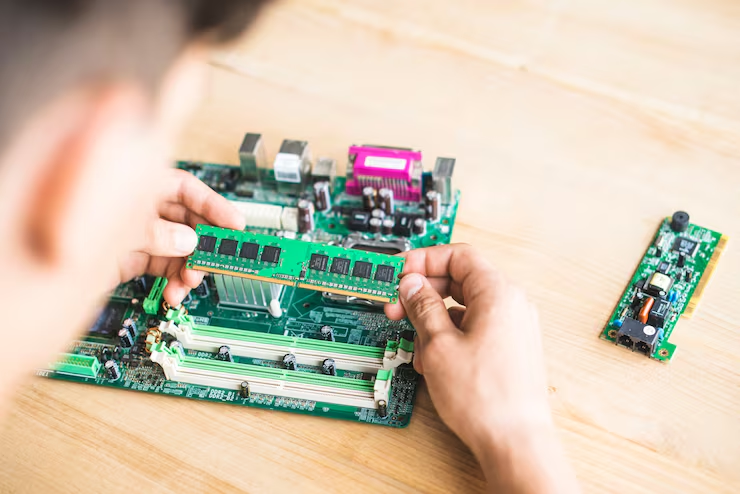
What to Consider Before You Buy RAM Online for Your Server
Server memory has a direct effect on how well business applications, databases, and virtual machines perform. Choosing the wrong RAM can lead to compatibility problems, wasted spending, and system performance issues. Before you Buy RAM Online, it is worth checking your server’s specifications, memory requirements, and future workload needs. Ram Exchange provides memory solutions for computers, laptops, and servers, including current and legacy DRAM technologies. Understanding a few important factors before placing an order can help businesses select suitable memory, avoid unnecessary upgrades, and keep their server infrastructure running reliably.
Check Your Server’s Memory Compatibility
Compatibility should be the first consideration before purchasing server RAM. Not every memory module works with every server, even if the physical size looks similar. Servers are designed to support specific memory types, speeds, capacities, and configurations. Start by checking your server manufacturer’s documentation or product specifications. Identify the exact server model and confirm which memory modules it supports.
Pay attention to these details:
- Memory generation: Check whether your server supports DDR4, DDR5, or an older DDR generation.
- Module type: Confirm whether the server requires ECC Registered (RDIMM), Load-Reduced (LRDIMM), or another specific module type.
- Maximum capacity: Check the maximum memory supported by the server and each memory slot.
- Supported speed: Verify the memory speed supported by your processor and motherboard.
- Module compatibility: Make sure the selected RAM type is approved for your particular server configuration.
Checking these specifications before ordering helps prevent compatibility issues and reduces the risk of purchasing memory that cannot be used.
Understand How Much RAM Your Server Needs
The amount of RAM required depends on the applications and workloads running on your server. A small business server handling basic file sharing will have different memory requirements from an enterprise server running multiple virtual machines or large databases. Before choosing a capacity, review your current memory usage. Monitoring tools can show how much RAM your applications consume during normal operations and busy periods.
Consider the following workloads:
- Database management: Large databases may require additional memory to process queries and manage frequently accessed information.
- Virtualization: Running several virtual machines requires enough RAM for the host system and each individual virtual machine.
- Business applications: Enterprise software, accounting platforms, and internal applications may need more memory as the number of users increases.
- File and storage services: Servers managing large files and frequent access requests may benefit from additional memory.
- Web hosting: High website traffic and multiple active processes can increase memory requirements.
Avoid choosing RAM based only on your current needs. Consider expected business growth and upcoming software requirements so that your server has enough capacity for future workloads.
Compare DDR4 and DDR5 Memory
DDR4 and DDR5 are two common memory generations used in server environments. However, they are not interchangeable, and your server’s hardware determines which generation you can install. DDR4 remains suitable for many existing enterprise servers. It can support established business applications and provide a practical option for organizations maintaining older infrastructure.
DDR5 offers higher memory bandwidth and improved power efficiency compared with DDR4. It is supported by newer server platforms and can be useful for demanding workloads that require greater memory performance.
Here are a few differences to consider:
| Feature | DDR4 | DDR5 |
| Memory generation | Older generation | Newer generation |
| Bandwidth | Lower than DDR5 | Higher than DDR4 |
| Power efficiency | Higher operating voltage | Lower operating voltage |
| Platform support | Compatible with supported older platforms | Compatible with supported newer platforms |
| Common use | Existing server infrastructure | Newer server platforms |
Your decision should depend on server compatibility, workload requirements, and available budget. Purchasing newer memory does not automatically improve performance if your existing server cannot support it.
Check ECC and Registered Memory Requirements
Server memory often includes error-correcting and registration features designed for enterprise workloads.
ECC (Error-Correcting Code) memory can detect and correct certain memory errors. This helps reduce the risk of data corruption caused by common memory-related errors. It is particularly useful for servers running databases, business applications, and other workloads where system reliability matters. Registered DIMMs (RDIMMs) include a register that helps manage electrical loading between the memory controller and memory modules. Load-Reduced DIMMs (LRDIMMs) use additional buffering to support certain high-capacity memory configurations.
Before selecting a module, check whether your server supports ECC UDIMM, RDIMM, or LRDIMM memory. These types are not generally interchangeable. Mixing unsupported module types can prevent the server from starting correctly.
Consider Memory Speed and Configuration
RAM capacity is only one part of server performance. Memory speed and configuration also affect how efficiently the system handles workloads. Memory speed is measured in megatransfers per second (MT/s). Higher transfer rates can support faster data movement, but the actual operating speed depends on the processor, motherboard, memory generation, and installed modules.
Memory channel configuration also matters. Many server platforms use multiple memory channels to increase available bandwidth. Installing modules in the correct slots helps the system use these channels effectively. Check the server manual for recommended installation arrangements. Some servers require balanced memory distribution across processors and channels to achieve the expected performance. Avoid purchasing RAM based on speed ratings alone. A compatible module running at a supported speed is generally a better choice than a faster module that your server cannot fully support.
Evaluate the Seller Before Placing an Order
Buying server memory online requires more attention than simply comparing product prices. The seller should provide accurate specifications, clear product information, and reliable support if compatibility questions arise. Look for a supplier with experience in server and enterprise memory. Check whether the seller provides information about module condition, testing procedures, and available memory generations.
Ram Exchange works with different DRAM technologies, including DDR2, DDR3, DDR4, and DDR5, serving businesses with both current and legacy memory requirements. This type of product range can be useful for organizations maintaining different server generations.
Before ordering, check these points:
- Does the seller provide complete part numbers and technical specifications?
- Are the memory modules tested before shipping?
- Is the product listed as new, used, or refurbished?
- Does the seller explain its return and replacement policy?
- Can the supplier help confirm compatibility with your server model?
- Are shipping costs and delivery expectations clearly stated?
These checks can help businesses make informed purchasing decisions and avoid problems after delivery.
Plan for Future Server Upgrades
Business workloads rarely remain the same for long. More employees, additional applications, growing databases, and increased virtualization requirements can raise memory demand over time. Before purchasing RAM, check how many memory slots are currently available and whether your server supports higher-capacity modules. This information can help you decide between filling existing slots with smaller modules or using larger modules that leave room for future expansion. A planned dell server ram upgrade is a good example of why checking the full hardware configuration matters. Businesses should review supported capacities, processor compatibility, memory channel requirements, and available slots before selecting additional modules.
Ram Exchange also serves businesses that need memory for different hardware generations, which can be useful when maintaining older equipment alongside newer systems. Planning ahead can reduce the need for frequent replacements and help businesses manage hardware spending more effectively.
Balance Price With Product Quality
Price is a major consideration for businesses purchasing server memory in bulk. However, choosing the cheapest available module without checking its specifications can create additional costs later. Compare products with matching capacities, memory generations, module types, speeds, and conditions. A lower-priced refurbished module may be suitable for some systems, but its testing standards and condition should be clearly understood before purchase.
Also consider the total cost of ownership. This includes the module price, shipping, possible downtime, replacement expenses, and the time required to resolve compatibility problems. mA reliable purchasing decision should account for product quality and technical suitability rather than focusing only on the initial price.
Make an Informed Purchase for Your Server
Choosing server RAM requires careful attention to compatibility, capacity, memory type, speed, and supplier reliability. A little research before ordering can help businesses avoid unnecessary expenses and select modules that support their actual workloads. Ram Exchange provides memory options for different business and server requirements, including current and legacy DRAM technologies. Reviewing your hardware specifications and confirming product details before purchasing can make the upgrade process more straightforward.
Get in touch with us today to discuss your memory needs and find the right RAM solutions for your business systems and servers.