How to Choose a Private Email Service: 5 Easy Checks
A good private email service encrypts your messages, collects as little personal data as possible at sign-up, is based in a country with strong privacy laws, offers aliases to protect your main address and is open about how it makes money. Checking these five things helps you choose an inbox that keeps your messages yours.
1. Look for end-to-end encryption
With end-to-end encryption, only you and the person you are writing to can read your messages. Even the email company cannot see them. Many private providers encrypt messages automatically between their own users and let you send password-protected emails to people on other services. Also check that your stored mail is encrypted, not just the connection.
2. Check what it asks for at sign-up
Some email services ask for your phone number, recovery email and full name before you can create an account. Privacy-focused providers usually ask for much less. The less personal information an email company holds, the less can be exposed in a breach or shared with others.
3. Consider where the company is based
Every email provider follows the laws of the country where it operates. Providers based in places with strong data protection, such as Switzerland, Germany or Iceland, are often a good choice. Read the privacy policy to see where your data is stored and how the company handles official requests.
4. Use aliases to protect your main address
Aliases are extra addresses that forward mail to your inbox. You can use a different alias for each shop, newsletter or app. If one starts receiving spam, simply turn it off. Many private email services include aliases, or you can add a separate alias service.
5. Understand how it makes money
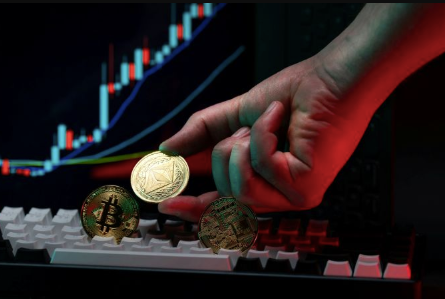
Free email is often paid for by advertising and data collection. Private providers usually charge a small monthly fee instead, which means their business depends on keeping customers happy, not on reading their messages. Some also let you pay without sharing card details, for example with Monero, a digital currency designed for private transactions. Monero Friendly keeps a directory of online services, including email and privacy tools, that accept it.
Easy habits for a safer inbox
- Turn on two-factor authentication with an authenticator app.
- Use a long, unique password saved in a password manager.
- Do not click links in unexpected emails. Visit the website directly instead.
- Unsubscribe from newsletters you no longer read.
Frequently asked questions
Can I move my old emails to a private provider?
Yes. Most private email services include an import tool that copies your old messages and contacts.
Is a private email service harder to use?
Not really. Most work like any other inbox, with web, desktop and mobile apps.
Do I need to pay for private email?
Many providers offer a free plan with limited storage. Paid plans add more space, aliases and custom domains.
See also: How SA Law Group Helps Injured Victims Pursue Fair Compensation
Final thoughts
Your inbox holds years of personal information. Choosing a provider with strong encryption, minimal sign-up details and a clear business model is one of the easiest privacy upgrades you can make.